
Vicaria
From the Spanish vicaría — a vicar’s office; the seat of those who act in the place of another.
An office of agents — each present, and acting, on your behalf.
Token maxxing? Try intelligence maxxing.
Every run teaches the next.
Vicaria learns from real work, benchmarks what helps, and automatically applies recommended configurations.

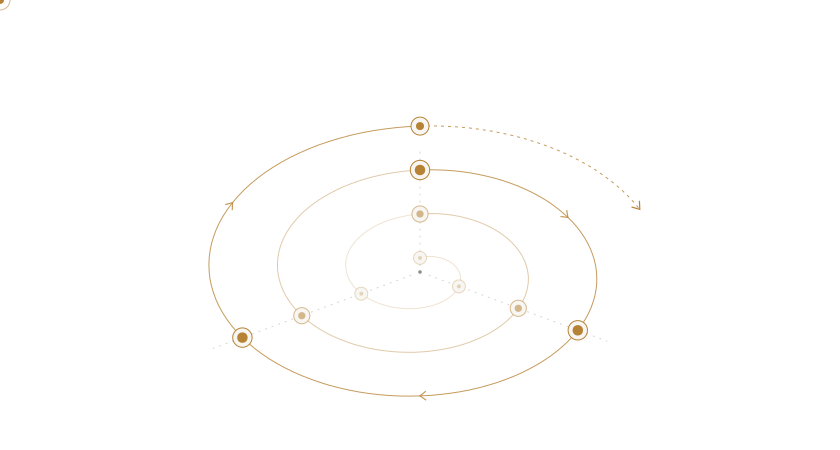
Every run teaches the next — and the loop widens.
 Claude Code
 Codex
 OpenCode
and more…
Use your tools. Keep your workflow.
A loop that learns from the work.
Collect
Record each run, including task and configuration, tools and trajectory, and outcome and feedback.
Analyze & learn
Analyze outcomes, benchmark alternatives, and update recommendations.
Guide
Automatically apply recommended configurations before the next run.
Continuous self-improvement for a more capable tomorrow.
Built around the work you already do.
What does Guide do automatically?

Guide applies recommended configurations before execution, including the model, reasoning effort, and other settings your connected harness supports. Each run then supplies new evidence for the learning loop.
What happens in Analyze & learn?
Analyze the trajectory and outcome, benchmark alternative configurations on comparable tasks, and use the results to update recommendations. Run evaluations of your own cases in your own harness.
Where do I do my work?
Keep using Claude Code, Codex, or OpenCode. Connect your harness, then use the Vicaria workspace to inspect sessions, review outcomes, and prepare evaluations.
What gets captured?
When you enable sharing, the connected harness records messages, tool inputs and outputs, and attached files it can observe. You can pause sharing in your harness, or stop sharing and delete stored work in Settings.
How do I get access?
Vicaria is currently invitation-only. Ask a Vicaria owner for an invitation, then sign in with the Google account for the email address they invited.
Bring the learning into your next run.
Have an invitation? Your workspace is ready when you are.
Sign in to Vicaria hello@vicaria.ai